All-in-One Tool for Video, Audio & Photos
Convert, compress and edit videos, audio and photos with ease: free, fast and right in your browser.
- Free to use
- No sign-up
- No watermarks
- Works in your browser
Video & Audio Tools
Convert, compress, cut, merge, split and rotate videos, and convert audio, free in your browser.

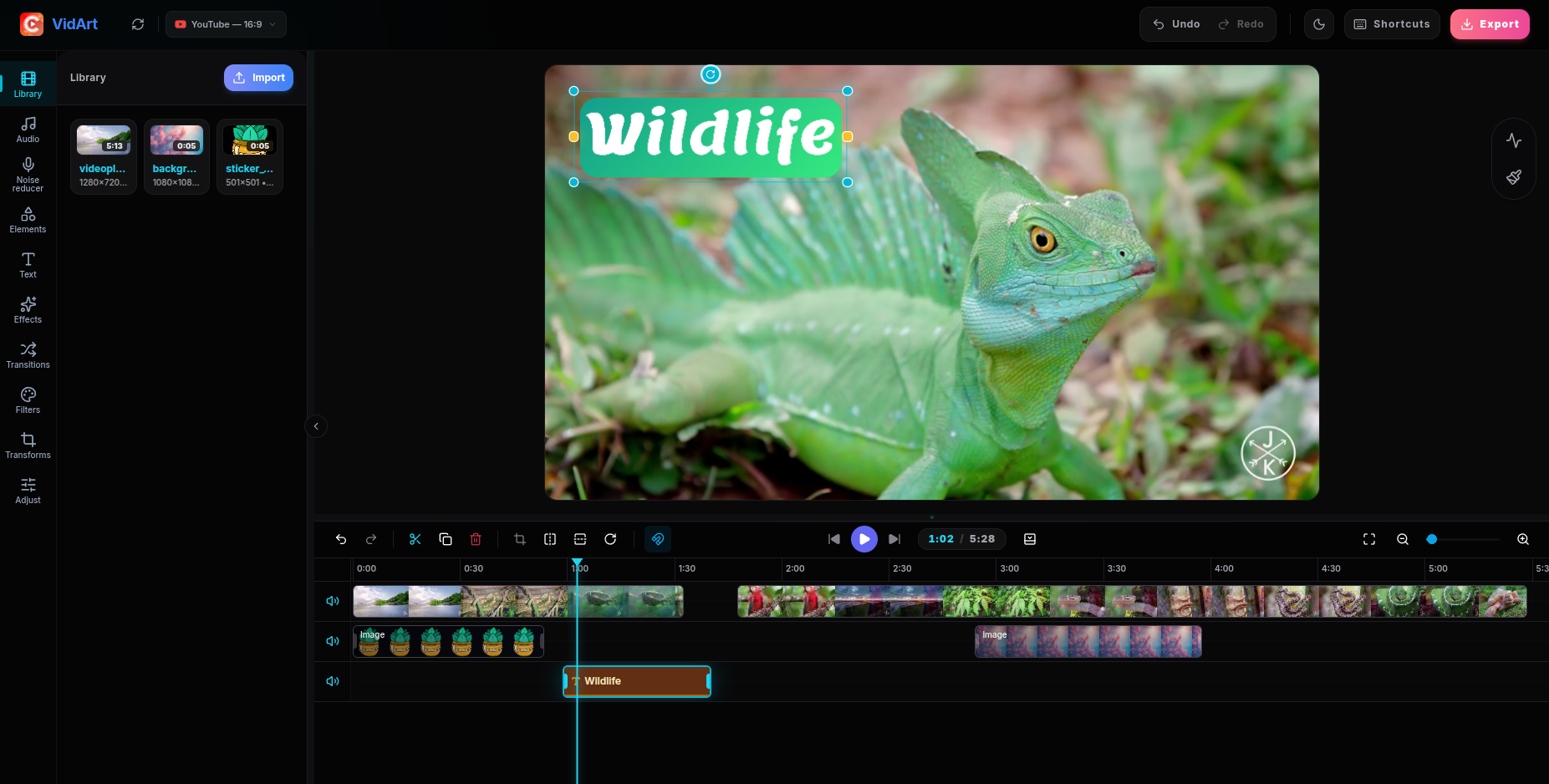
VidArt - Video Editor
Create and edit professional videos with an intuitive timeline.
Video Converter
Convert videos to multiple format, resolution etc.
Video Compressor
Compress video size without losing quality.
Video Merger
Combine multiple videos into single clip.
Video Cut-Trim
Cut or Trim your videos precisely.
Video Splitter
Split videos into multiple parts easily.
Video Rotator
Rotate videos 90°, 180° or flip horizontally.
Audio Converter
Convert audio files to multiple formats with ease.
AI Studio
Convert, compress, trim and merge by chatting
Photo Tools
Edit, resize and compress photos, remove backgrounds and make passport photos. The free photo tools work in your browser.
Compress Image
Make JPG, PNG and WEBP photos smaller, even to a target size.
Resize Image
Change a photo's width and height in pixels.
Crop Image
Crop to square, 4:5, 9:16 or 16:9, previewed on your photo.
AI Photo Editor
Describe a change and AI makes it. Needs an account and credits.
Passport Photo Maker
Make passport, visa and ID photos to official sizes.
Background Remover
Put a person on a transparent or plain background.
Image Compressor
Make photos smaller for email, forms and the web.
Image Converter
Convert photos between JPG, PNG and WebP.
Image Resizer
Resize a photo to exact pixels or a quick size.
Photo Editor
Edit a photo for free in your browser: crop it, turn it, give it a color look, change the background, resize, convert or compress it, with nothing to install.
Image Cropper
Crop a photo for free in your browser: compare 1:1, 4:5, 9:16, 16:9 or 3:2 crops drawn on your picture, or drag a box around exactly the part you want.
Image Rotator
Fix a sideways or upside-down photo for free in your browser: give it a quarter or half turn, mirror it or flip it, with every result shown before you pick.
Photo Filters
Add a photo filter for free in your browser. Compare 10 color looks drawn on your own picture, from Warm and Vivid to Noir and Sepia, and keep the one you like.
Collage Maker
Make a photo collage for free in your browser. Drop 2 to 12 pictures, compare layouts built from your own shots, and download one finished image.
Image to Text
Turn the printed English in a photo, a screenshot or a scanned PDF into text you can edit, free and in your browser, and download it all as a plain .txt file.
Just say what you need
Attach a file and tell the assistant what to do, in your own words. It picks the right tool, runs it and hands you the result to play, compare and save.
- Convert, compress, trim and merge by chatting
- Edit photos and PDFs too
- Asks before an AI feature uploads your file
How to Use Convertor.video
- 01
Select Your Tool
Choose from our video, audio and photo tools, including converters, compressors, a cutter and a passport photo maker.
- 02
Upload and Process
Add your media files. The in-browser tools process them on your own device, and an optional AI feature asks before it uploads anything.
- 03
Instant Download
Once the processing is complete, download your high-quality results immediately for free.
Why Choose Us?
Fast, private and free tools for every video, audio and photo job.
Online Tool
Convert videos to multiple formats, resolutions, etc.
Fast Compression
Upload your file, adjust the settings, and let the tool do the magic for you.
Multiple Formats
Access all popular formats such as MP4, MOV, MKV, WebM and AVI, and even some rarer ones like FLV and TS.
Secure Encryption
Your files stay on your device with the in-browser tools. Optional AI features use our servers, and only after you allow it.
Check Preview
Watch or view your result before you download it.
Simple Interface
This tool is so user-friendly that you won’t need any instructions to navigate it!
Download Our Mobile App
The best video converter app in the market by a great margin because it incorporates the latest features and functionality
Video Converter, Compressor
Fastest Video Converter and Compressor in the market that supports almost all video formats: MP4, MKV, AVI, 3GP, MOV, MTS, MPEG, MPG, WMV, M4V, VOB, FLV etc. This converter & compressor supports converting, compressing, changing resolution, Frame rate(FPS), bitrates of a video file. It can also convert video files into Audio formats like MP3, AAC, AC3, OGG, M4A, WAV etc.
Voices of Satisfied Customers
Explore testimonials, reviews, and feedback shared by our valued clients, offering insights into their experiences working with us.
"I think if you do something and it turns out pretty good, then you should go do something else wonderful"
Lassy Chester "Just downloaded it to convert an AVI file to MP4 and it works great. Does as it says and a little bit more which is awesome!"
Strawberry Jam "Best app I have found to compress my videos, and I have gone through a couple. This app has a lot of options of things you can do."
Joshua Zug
Convertor.video - Your All-in-One Multimedia Solution
Welcome to Convertor.video, the platform for all your video, audio and photo needs. Our suite of free online tools allows you to effortlessly convert videos, compress audio, edit photos and trim media files directly in your browser.
We prioritize your privacy. Unlike many online video converters, our converters and editors process your files locally on your machine, so your private content stays on your device. The few optional AI features that need our servers ask before anything is uploaded: a genuinely secure media editor.
- Powerful Conversion: MP4, MOV, MKV, WebM, AVI, FLV and TS video, and MP3, WAV, FLAC, AAC and more audio.
- Efficient Compression: Reduce file sizes without losing noticeable quality.
- Photo Tools: convert JPG, PNG and WebP, compress and resize photos, make passport photos and remove backgrounds, right in your browser.
- Browser-Based Speed: the in-browser tools work without uploading your files, so there is no server queue to wait for.
- Completely Free: every converter, compressor and cutter is free to use, with no watermark and no sign-up.
All You Need to Know
Explore detailed answers to frequently asked questions about our website and its features.
What is Convertor.video used for?
Convertor.video is a set of free online tools to convert, compress, trim and edit video, audio and photos, from MP4 to MP3 to passport photos. It’s designed to be fast and private: the converters and editors run in your browser.
How do I convert videos to different formats?
Open the Video Converter, drop your file and say the format you want, such as MP4, MOV, MKV or WebM; the AI assistant converts it. For AVI, FLV or TS output, or to set every option by hand, switch to the classic converter on that page, choose the format and click Convert. The conversion runs on your own device, for speed and privacy.
Is Convertor.video truly free to use?
Yes. The converters, compressor, trimmer and photo tools are free, with no hidden costs, no subscriptions and no watermarks on your finished files. Only the optional AI picture tools, such as the AI photo editor, use credits.
How is my privacy protected on this site?
Converting, compressing, trimming and the other editing tools run inside your browser, so those files never leave your device. A few optional AI features, such as AI photo editing, captions, noise reduction and removing music or vocals, use our servers: the chat asks first, and nothing is uploaded unless you allow it.
Which video, audio and photo formats are supported?
For video: MP4, MOV, MKV, WebM, AVI, FLV and TS. For audio: MP3, WAV, FLAC, AAC, OGG, Opus, M4A, AIFF and AC3. You can also pull the sound out of a video into any of these audio formats. For photos: JPG, PNG and WebP, in and out; GIFs are read as a still picture and iPhone HEIC photos open in Safari. Photos can also be combined into a PDF, and a PDF's pages saved as images.
Do I need to install any software or extensions?
No. Convertor.video works entirely in your web browser. There is no need to download bulky software or install suspicious plugins to convert or compress your media.
Can I compress videos for WhatsApp or Email?
Absolutely. Our video compressor allows you to significantly reduce file sizes, making it easy to share high-quality clips via WhatsApp, Discord, or Email attachments (under 25MB).
Does converting or compressing reduce quality?
Our tools use advanced encoding algorithms to ensure the best possible quality-to-size ratio. You can choose high-quality presets or manually adjust settings to meet your specific needs.
Can I use Convertor.video on my mobile phone?
Yes! Our website is fully optimized for mobile devices. You can convert and edit videos directly on your iPhone or Android phone using any modern mobile browser.
Is there a limit on file size?
Because we process files locally on your hardware, we can handle much larger files than traditional online converters. Your device's memory and CPU are the only real limits!
Can I edit photos on Convertor.video?
Yes. Drop a photo on the home page or open a photo tool: you can convert it between JPG, PNG and WebP, compress or resize it, make a passport or visa photo, remove the background behind a person, or put several photos into one PDF. These photo tools run in your browser, are free and add no watermark.